| Week of ... | Lab Topic(s) | Reference
Material [ this background indicates required reading; this background indicates optional reading this background indicates important items this foreground indicates updated items this background indicates weekly topics this foreground indicates unrevised items ] |
|
Introduction
Integrated circuits Pinouts, breadboards, and debugger boards |
||
| Jan. 5 |
|
|
|
N2083 Lab bench layout [video] 
Games [FLASH; Sinclair Community College] This has cool history on where the term "breadboard" came from Basics of Breadboarding [video] 
Collin's Lab: Schematics [video] 
How to Wire Circuits from Schematics [video] 
|
||
|
Resistors (including arrays), LEDs and switches
Watch videos before lab! Input device: prototype switch Output device: LED |
||
| Jan. 12 |
This week you'll learn how some common input and output devices are used. (The debugger board used previously hides some of the details.) |
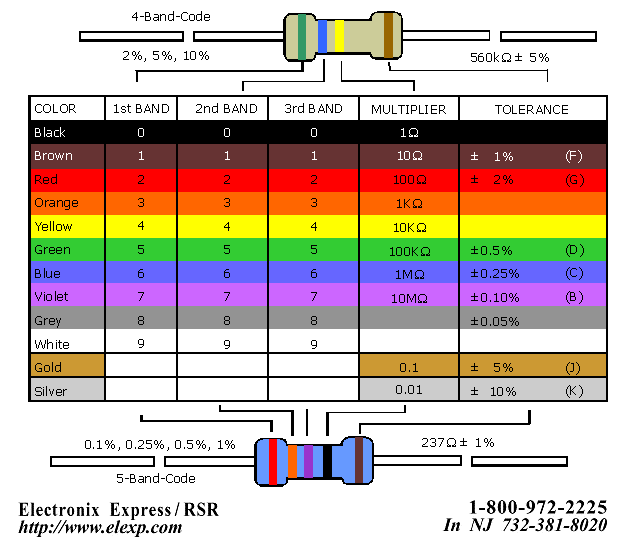
Resistor
colour codes
[
July 25, 2003
] LEDs [screencast of PDF] 
Choosing resistors for LEDs [video] 
Switches [screencast of PDF] 
Choosing resistors for switches [video] 
|
|
Introduction to Quartus II
Watch videos before lab! Design skill: Circuit drawing and simulation |
||
| Jan. 19 |
Drawing a circuit diagram and simulating its operation can be done with software. This week you'll learn how. |
Quartus II Introduction 
Simulating with QSim (version 13) 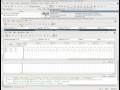
Timing Diagrams [video] 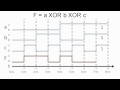
|
|
Quartus II Introduction using the ModelSim Simulator with Forced Outputs [ May 12, 2017 ] Using the ModelSim Vector Waveform Editor with Quartus II [ May 12, 2017 ] Using Testbenches in Quartus II [ May 12, 2017 ] |
||
|
Using Quartus II
Multiplexers Gates with "extra" inputs; strobes, enables, etc. |
||
| Jan. 26 |
|
Enable, Gate and Strobe inputs [screencast of PDF] 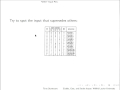
Multiplexers [screencast of PDF] 
|
|
Multiplexers 
|
||
|
Encoders
Keypads (with resistor arrays) Active low signals "No connection" pins Watch videos before lab! Input device: Keypad |
||
| Feb. 2 |
This week you'll learn to use a keypad for digital input. |
Keypads [screencast of PDF] 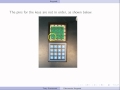
Resistor Arrays [screencast of PDF] 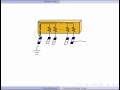
Encoders [screencast of PDF] 
|
|
Decoders
Gates with "extra" inputs; strobes, enables, etc. 7 segment displays Push button (or momentary) switches Watch videos before lab! Input device: Pushbutton switch Output device: 7 Segment display |
||
| Feb. 9 |
This week you'll learn to use momentary switches for digital input, and 7 segment displays for output. |
Pushbutton Switches [screencast of PDF] 
7 Segment Displays [screencast of PDF] 
Testing a Common Cathode 7 Segment Display [video] 
Testing a Common Anode 7 Segment Display [video] 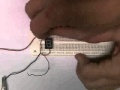
Decoders [screencast of PDF] 
Enable, Gate and Strobe inputs [screencast of PDF]
|
|
Minimal Boolean Expressions [video] 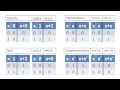
Karnaugh Maps (K-Maps) [video] 
Don't Cares [video] 
|
||
|
Reading Week
|
||
| Feb. 16 | READING WEEK - No labs | |
|
CPLDs Assigning pins in Quartus II Downloading designs into CPLDs Bargraph LEDs (with resistor arrays) Output device: Bargraph LED Design skill: Using programmable logic |
||
| Feb. 23 |
This week you'll learn to use bargraph LEDs for output. |
Bargraph LED displays [screencast of PDF] 
Quartus II CPLD Programming 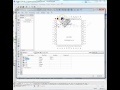
|
|
A commercially available board similar to the one you are using is the LC MAXII EPM240 CPLD board. |
||
|
CPLD Lab Task
Design skill: Good drawing for schematics |
||
| Mar. 2 |
|
Drawing tips for digital circuits [screencast of PDF] 
|
| Design Project | ||
| Mar. 9 |
|
|
|
XOR
and XNOR gates in Karnaugh Maps [PDF; University of Waterloo] More about XOR and XNOR gates in Karnaugh Maps (starting at page 14) [PDF; © 2009 Carlton University] |
||
| Design Project (continued) | ||
| Mar. 16 |
|
Glitches
and Hazards in Digital Circuits
|
|
||
|
Design Project (continued) |
||
| Mar. 23 |
|
|
|
Tips for
poster design
Poster Design: Layout [video] 
|
||
| Project Presentation | ||
| Mar. 30 |
|
|





Wilfrid Laurier University
© 2019 Wilfrid Laurier University